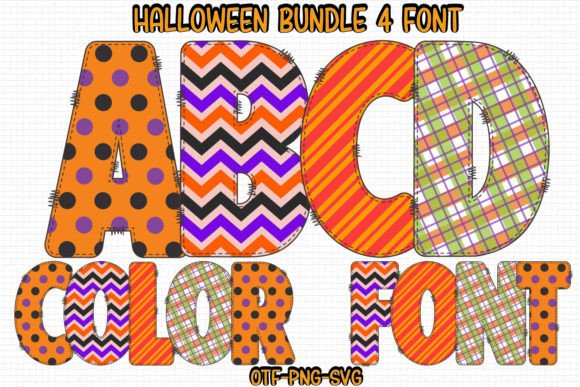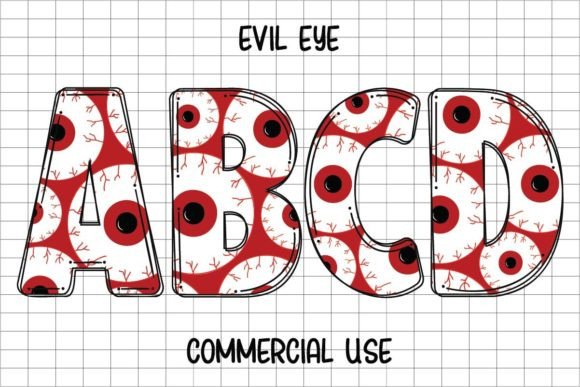
Halloween Skull: A Playful Typeface for Spooky Season Designs
When the leaves start to turn and the air gets that familiar crisp edge, the creative world shifts its focus. We stop looking for minimalist sans serifs and start hunting for something with a bit more personality. If you have ever found yourself scrolling through endless libraries of "scary" fonts that look too jagged or illegible, you know the struggle. Enter Halloween Skull, a typeface that strikes a rare balance between holiday festivity and professional polish. It is not just another novelty font; it is a detailed, stylized asset designed to bring a specific kind of energy to your seasonal projects.
The Visual Personality of Halloween Skull
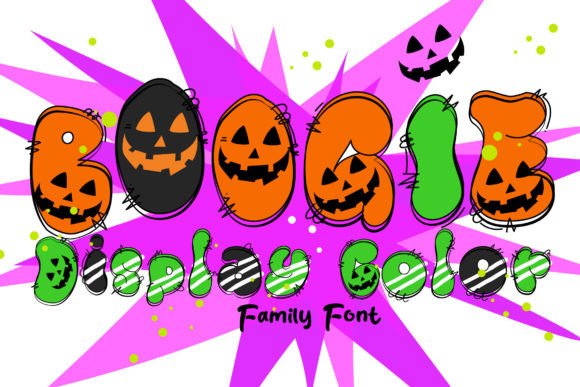
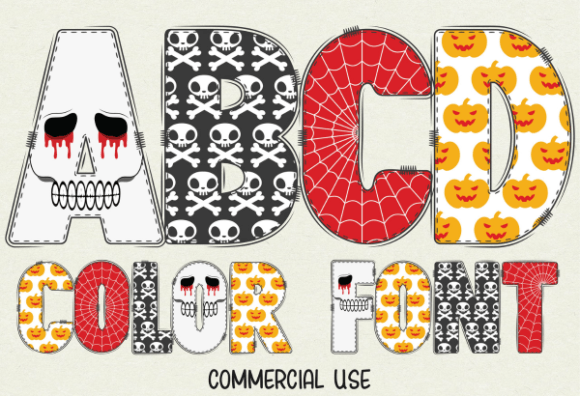
At first glance, Halloween Skull reads as a bold, confident display font. It leans heavily into the holiday theme but avoids the trap of looking cheap or overly gory. Instead, it offers a "cute and fun" aesthetic that appeals to a broad audience, from young children to adults who prefer a whimsical approach to the holiday. The defining characteristic is, naturally, the skull motif integrated into the letterforms. However, the design remains legible. The letter shapes are distinct enough that context clues aren't necessary to read the words, which is a common failing in many themed typefaces.
The visual weight of the font is substantial. It commands attention on a page, making it an ideal candidate for headlines and hero text. It functions as a creative font that acts as both text and illustration. When you set a title in Halloween Skull, you don't necessarily need to add separate graphics around it to convey the theme. The font does the heavy lifting. It carries a detailed, hand-drawn quality that feels artisanal rather than mass-produced, adding a layer of authenticity to your designs.
Practical Applications for Creatives and Businesses
Understanding where a font fits into a workflow is just as important as liking how it looks. Halloween Skull is versatile enough to bridge the gap between digital and physical projects, but it requires a strategic approach depending on the medium.
Digital and Print Marketing
For marketers and entrepreneurs, the fourth quarter is often the busiest time of the year. If you are running a promotion for a bakery, a costume shop, or even a themed blog post, this typeface serves as a powerful hook. It works exceptionally well for social media graphics where you have about three seconds to stop a user from scrolling. The unique silhouette of the letters breaks the visual monotony of a standard newsfeed. It is also highly effective for packaging design for seasonal limited-edition runs. Imagine a coffee sleeve or a candy wrapper utilizing this font; it immediately signals the product's seasonal nature without needing a paragraph of explanation.
Editorial and Publishing
Publishers and content creators often need to evoke a mood instantly. For editorial design, such as magazine covers, book covers, or internal chapter headings, Halloween Skull provides that immediate atmospheric punch. It is particularly useful for middle-grade novels or young adult fiction with a supernatural twist. The "cute" factor makes it approachable, ensuring the book doesn't look like a horror movie poster, which might alienate younger readers. For bloggers, using this font in your header images can create a cohesive visual identity for your October content series, making your site look curated and professional.
Crafting and DIY Projects
This is where the font offers a distinct advantage. The black version of Halloween Skull is fully compatible with cutting machines like Cricut Design Space. This opens up a world of possibilities for hobbyists and small business owners selling handmade goods. You can cut vinyl decals for tumblers, create intricate stencils for wood signs, or design heat transfers for t-shirts. The fact that the black version is optimized for these machines means you can use it as a standard premium font for vector work without worrying about compatibility errors that often plague complex typefaces.
Color Versions and Software Compatibility
One of the standout features of this typeface is the inclusion of a color version. This is not just a standard black font; it is a multi-colored display font that includes shading and detail within the glyphs themselves. This feature saves an immense amount of time in post-production. Instead of manually adding gradients or textures to your text in Adobe Illustrator, the font file handles the complex visual effects automatically.
However, this advanced functionality comes with technical requirements. It is vital to understand the ecosystem of your design software. The color version utilizes OpenType features and SVG technology that only specific programs can read. If you are working in Adobe Photoshop, Adobe Illustrator, or Silhouette Studio, you can utilize the full color capabilities. Inkscape is also a supported environment for the color variant.
It is important to note the limitation here: the OTF and/or TTF files of the color version are not compatible with Cricut. This is a common point of confusion in the crafting world. Cricut Design Space generally does not support the complex layers required for color fonts in the same way professional design suites do. Therefore, if you are a crafter using a Cricut, you must use the black version. If you are a graphic designer using Photoshop or Illustrator, you have the freedom to use the vibrant, pre-colored version to create stunning posters and flyers.
Design Strategy: Pairing and Hierarchy
Using a creative font like Halloween Skull requires a bit of restraint. Because it is so detailed and thematic, using it for body text would be a mistake. It is strictly a display font. For the best results, use it for large headlines, titles, or single-word callouts.
When it comes to font pairing, you need a partner that recedes into the background. Because Halloween Skull has a lot of visual "noise" and personality, pair it with a clean, geometric sans serif font for your subheadings and body copy. Think of fonts like Montserrat, Open Sans, or Lato. These neutral typefaces provide a resting place for the eyes, ensuring that your design feels balanced rather than chaotic. Avoid pairing it with a script font or another handwritten font, as the two styles will compete for attention and make the layout illegible.
Brand Perception and Tone
The fonts you choose act as a subconscious signal to your audience. If you are a small business owner, using Halloween Skull signals that your brand is approachable, fun, and in tune with the season. It suggests that you care about the details of your brand identity. For a children's event planner or a family-friendly pumpkin patch, this font builds immediate trust and sets the right expectations. It tells the customer, "We are here to have fun." Conversely, if you are marketing a high-end, serious product, this font would likely be too playful. Always evaluate the tone of the typeface against the message you are trying to convey.
Making the Most of Your Design Assets
Investing in modern typography is about efficiency as much as aesthetics. By adding Halloween Skull to your library of design assets, you are equipping yourself with a tool that solves a specific, recurring problem: how to make seasonal content pop. Whether you are designing a flyer for a local school event, a cover for an indie horror novel, or graphics for a Halloween party, this typeface provides a high-quality foundation.
Remember to always test the font in your specific environment before finalizing a design. Check the kerning (the space between letters) in your specific word combinations, as display fonts can sometimes have quirky spacing with certain letter pairs. Ensure that your color choices contrast well with the detailed elements of the font. By taking the time to integrate Halloween Skull thoughtfully, you move beyond generic holiday templates and create something that feels custom and professional.